Professional Reports That Make Parents Trust You
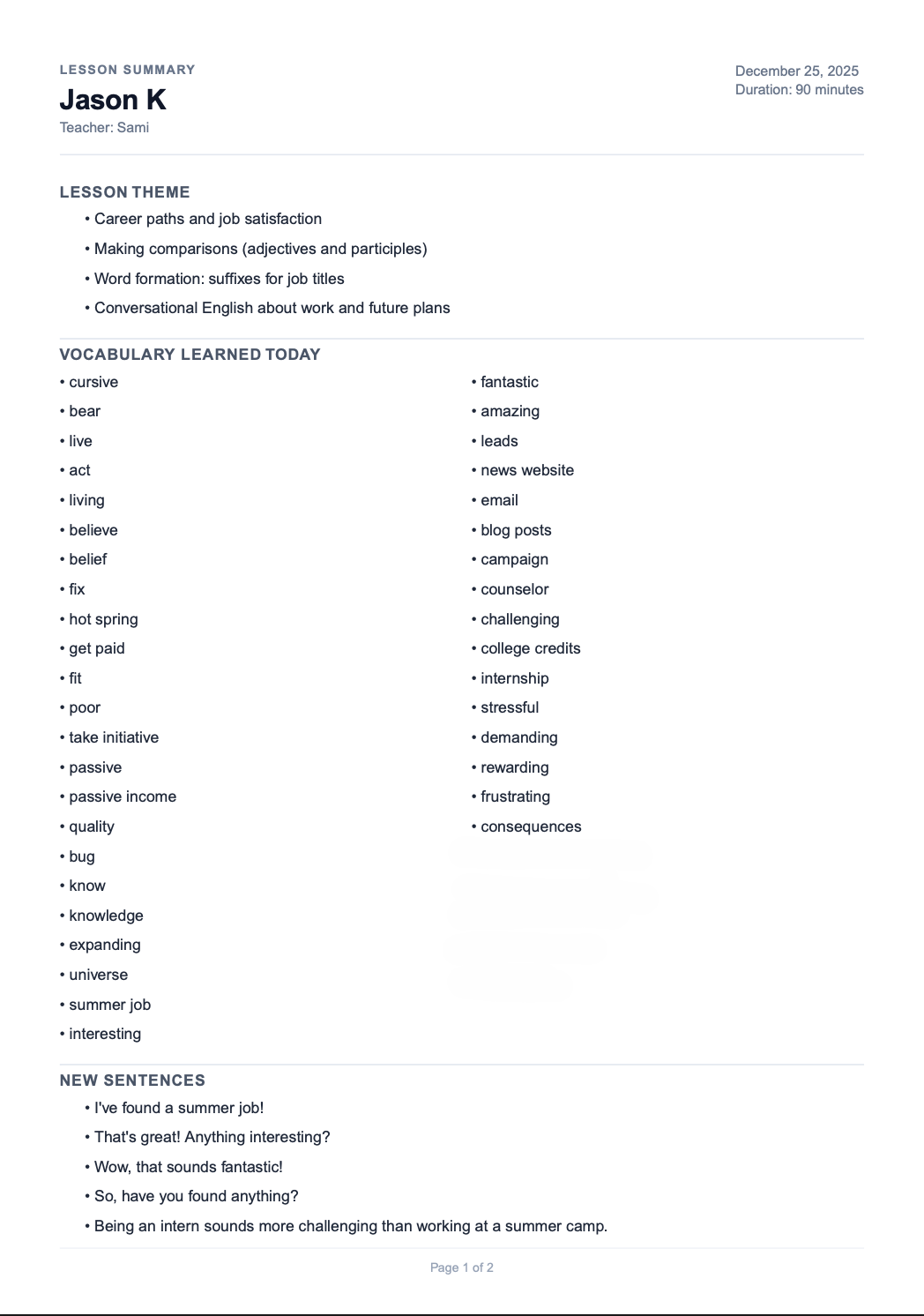
Tutors who send detailed feedback after every lesson don't just teach better—they earn more. Create professional, branded reports in under 30 seconds.
How It Works
Create a professional lesson report in 4 simple steps
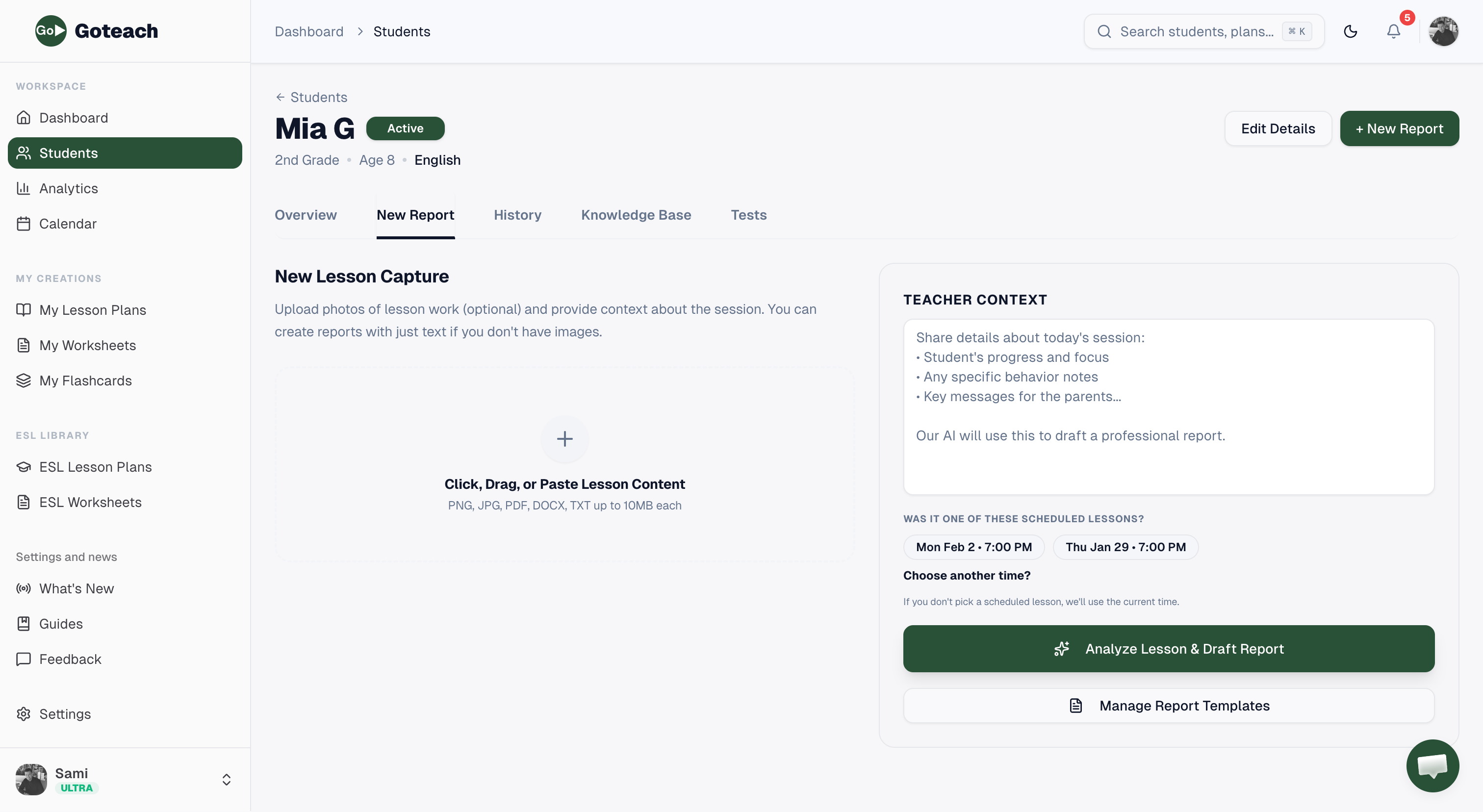
Choose a Student
Start from the dashboard Quick Actions or go to any student's profile and click 'New Report'.
Upload Lesson Content
Drop images, PDFs, or documents from the lesson. You can also just write notes if you don't have files.
Add Teacher Context
Share details about the student's progress, focus areas, behavior notes, and key messages for parents.
Generate & Download
Click 'Analyze Lesson & Draft Report' and our AI creates a professional report in seconds. Download as PDF or Word.
Why Teachers Love Lesson Reports
Reports aren't just documentation—they're a competitive advantage
Build Instant Trust
Parents value transparency. Professional reports show exactly what was covered and demonstrate your commitment.
Justify Higher Rates
Premium services command premium prices. Branded reports elevate your perceived professionalism instantly.
Save Hours Weekly
What used to take 30+ minutes per report now takes less than 30 seconds with AI assistance.
Track Everything
Never lose track of what you taught. All reports are saved and organized by student for easy reference.
Everything You Need
Powerful features to create reports that impress
Start Creating Professional Reports
Join thousands of tutors who have transformed their parent communication.